Scam Advice (Prompt Bombing (MFA Fatigue))
Prompt bombing (MFA Fatigue)
Multi-factor authentication (MFA) asks you to confirm a login after entering a password. In an MFA fatigue attack (otherwise known as ‘prompt bombing’, someone repeatedly sends approval requests to your phone. They hope you will tap “Approve” by mistake or just to stop the interruptions. Unexpected prompts are a warning sign, but they do not prove that someone has entered your account.

The setup
An attacker tries to sign in, often using a stolen or reused password.

The hook
The attacker keeps trying. Approval requests interrupt you again and again.

The goal
The attacker hopes you tap ‘approve’ for a login you did not start.
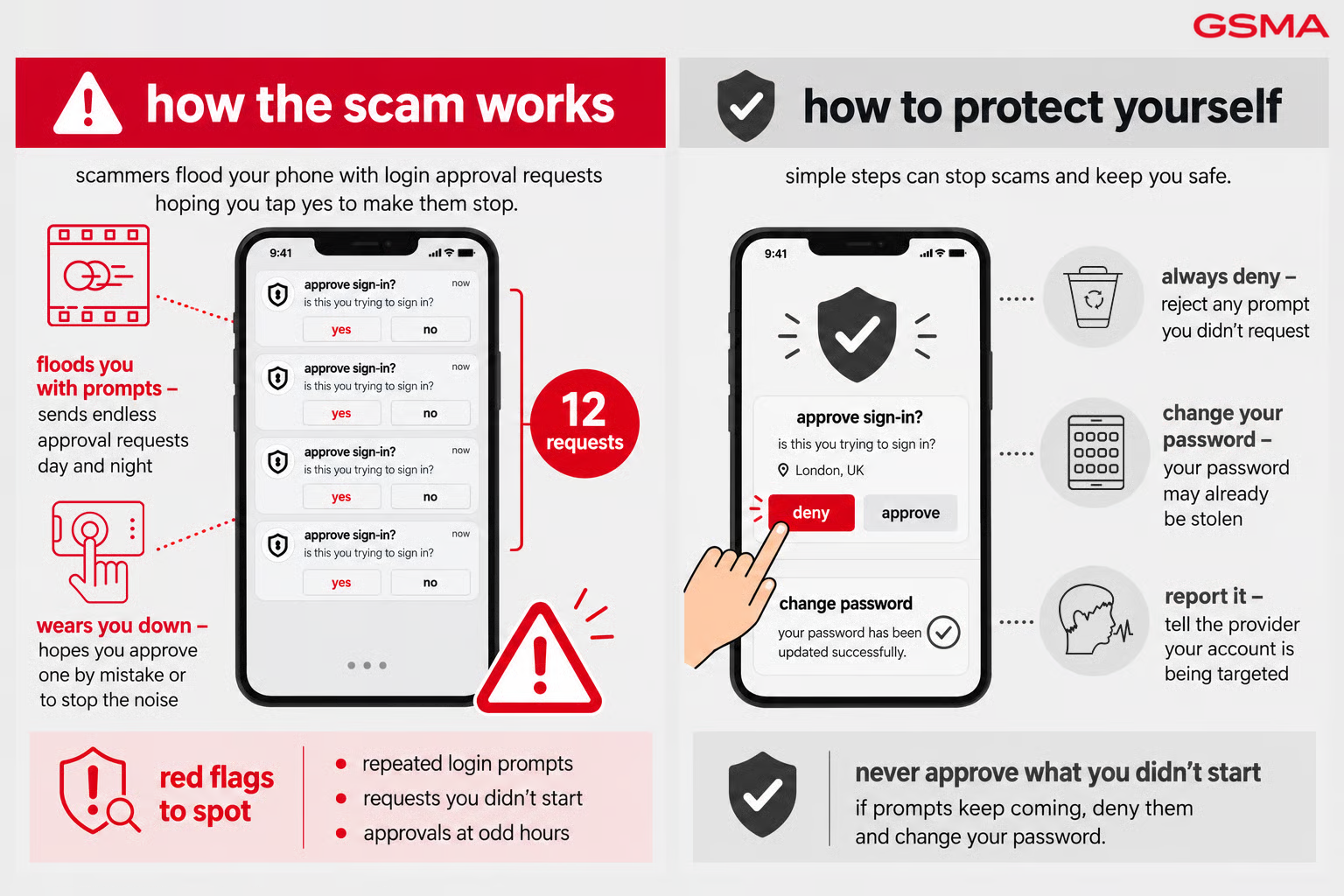
How prompt bombing works
Scammers rely on urgency and trust. They create time pressure so you act before verifying, and they impersonate a sender you’d normally trust without a second thought.
- Multiple unexpected MFA approval requests in a short space of time
- Push notifications for logins you didn’t initiate
- Sometimes paired with a fake “IT support” call asking you to approve one ‘to fix the issue’
How to protect yourself
- Never approve an MFA prompt you didn’t personally trigger — always deny and change your password
- Where available, use number-matching or location-based MFA rather than a single-tap approve
- Report repeated unexpected prompts to your IT/security team or the account provider immediately

National fraud reporting bodies




Mobile network operators
If you think you’ve been targeted by a scam, tell your mobile operator. Reports help operators protect you and other customers. Always contact them through their official website or app, never through links or numbers in a suspicious message. The operators below are examples only, not a complete list. Your operator will explain how to report the scam and what to do next.