


Scam Advice (False Base Station Attacks (SMS Blasters)
False base station attacks (SMS blasters)
An SMS blaster is a portable device that imitates a mobile mast. It can cause some nearby phones to connect and receive scam SMS message(s). These messages may bypass your mobile operator’s usual spam filters. However, you can still protect yourself by checking any unexpected request before you act.

The setup
Often carried in a bag, backpack, or vehicle.

The hook
Device is the strongest available signal.

The goal
Bypasses operator spam filters entirely.
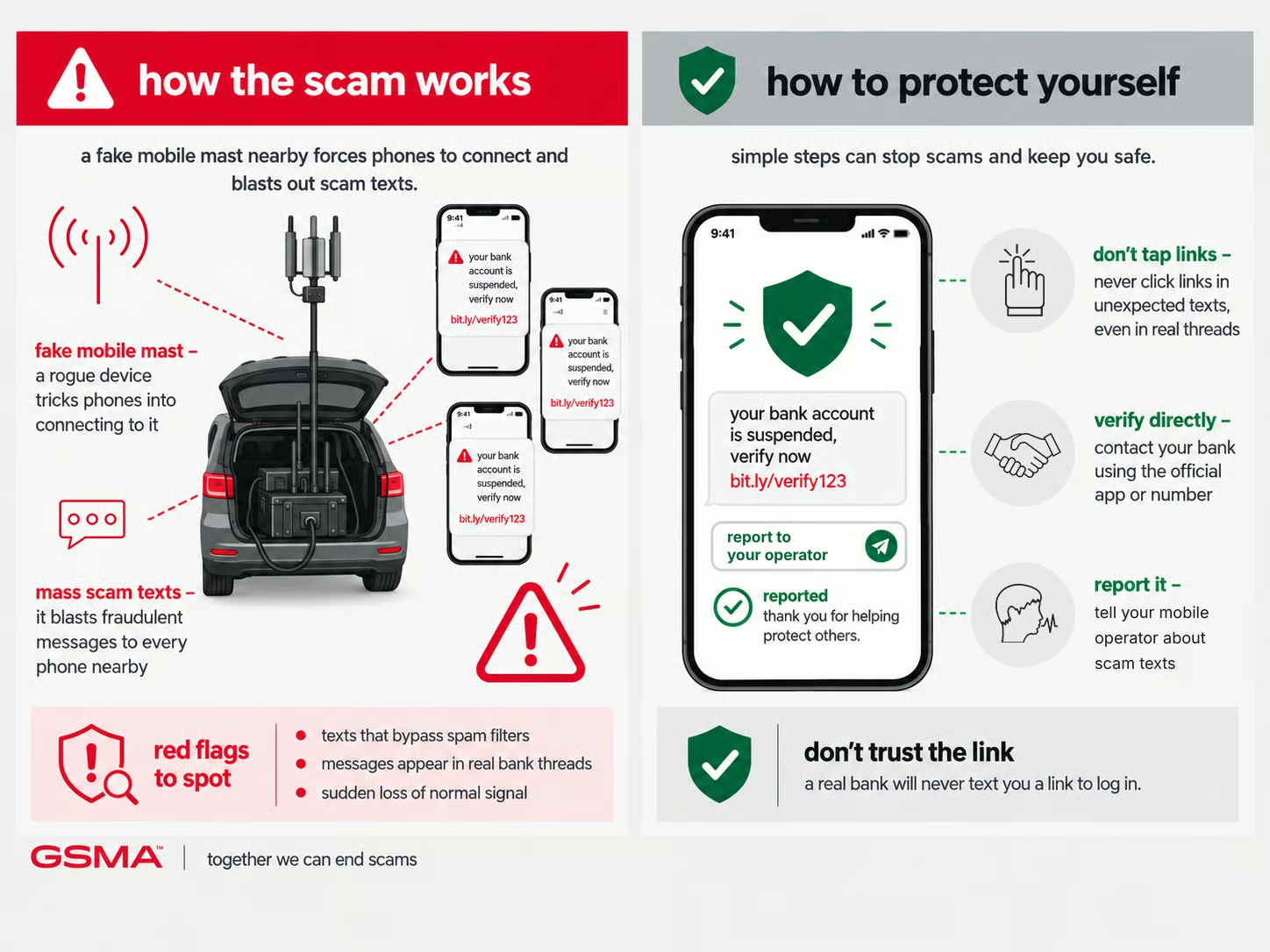
How SMS blaster scams work
Scammers rely on urgency and trust. They create time pressure so you act before verifying, and they impersonate a sender you’d normally trust without a second thought.
- A scam text arrives with unusually convincing formatting, and others nearby report the same message at the same time
- Your phone briefly shows a loss of normal signal or an unusual network name
- A cluster of identical scam reports from the same location and timeframe
How to protect yourself
- Be sceptical of unsolicited texts regardless of how convincing the formatting looks — this method can bypass normal operator filtering
- Report suspected false base station activity to your mobile operator or telecoms regulator
- Keep your phone’s software updated — newer standards include some protections against this
National fraud reporting bodies






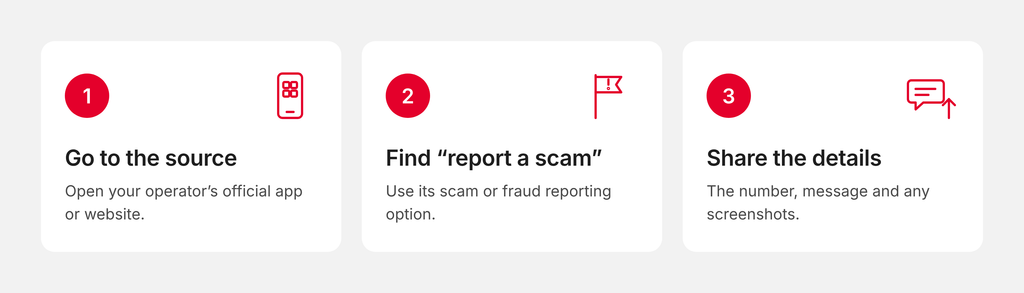
Tell your mobile operator
Reports help operators protect you and other customers. Always contact them through their official website or app, never through links or numbers in a suspicious message.
Not sure where to report?
Global Anti-Scam Alliance (GASA) keeps up-to-date directories of authorities and support services worldwide. Check out Scam.org for information.