


Scam Advice (OTP & MFA Interception)
OTP and MFA interception scams
An OTP is a one-time code used to confirm a login or account change. Multi-factor authentication (MFA) adds another check, such as an app prompt. In OTP and MFA scams, fraudsters ask for your code or push you to approve a login. They may pose as your bank or a support team. If you comply, they may gain access to your account.

The setup
Usually from a previous breach

The hook
Fake support call or urgent prompt

The goal
The last barrier before account access
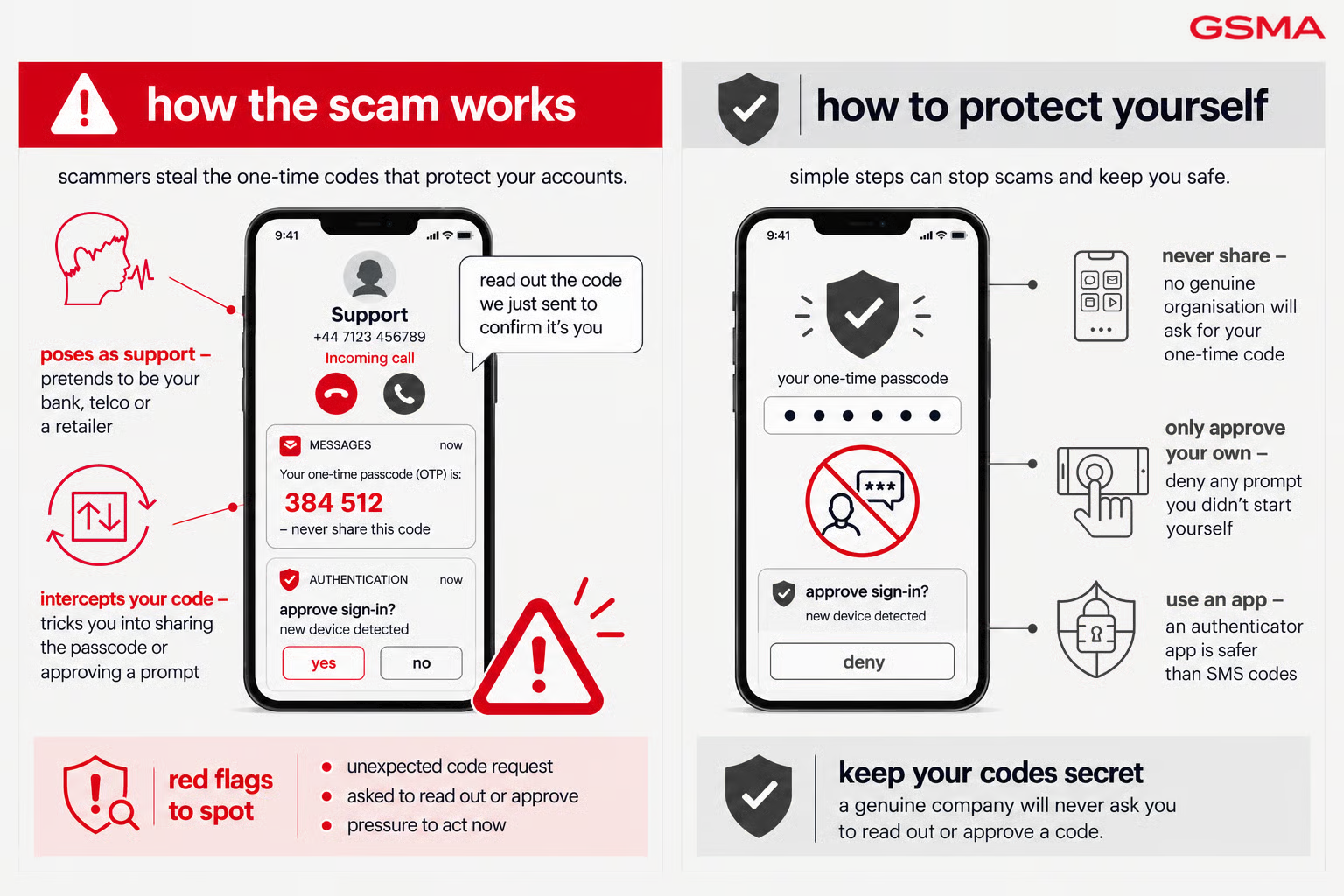
How OTP and MFA scams work
Scammers rely on urgency and trust. They create time pressure so you act before verifying, and they impersonate a sender you’d normally trust without a second thought.
- You receive a one-time code or approval prompt you didn’t request
- Someone calls claiming to be ‘security’ or ‘support’ and asks you to read out a code
- You’re asked to approve a login you don’t recognise
- Unexpected ‘your code is…’ SMS arrive in bursts
How to protect yourself
- Never share a one-time code or approve a login prompt you didn’t initiate — no legitimate organisation will ever ask for it
- Use an authenticator app or hardware security key instead of SMS codes where the option exists
- If you get a code unexpectedly, treat it as a sign someone already has your password — change it immediately
- Turn on account alerts for new device logins
National fraud reporting bodies




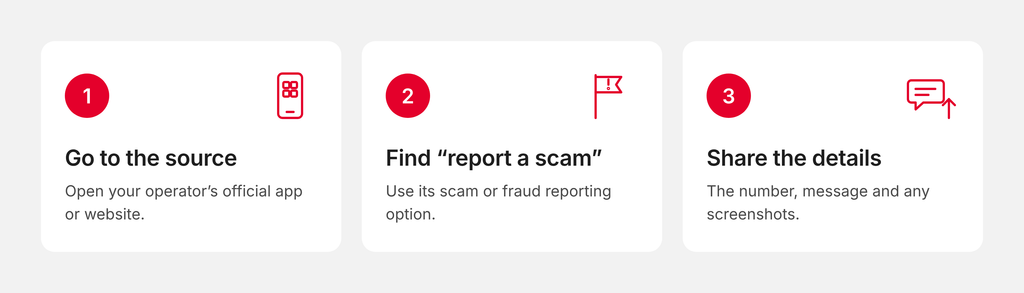
Tell your mobile operator
Reports help operators protect you and other customers. Always contact them through their official website or app, never through links or numbers in a suspicious message.
Not sure where to report?
Global Anti-Scam Alliance (GASA) keeps up-to-date directories of authorities and support services worldwide. Check out Scam.org for information.